
Promotion Stacking
When a customer qualifies for more than one automatic store credit promotion at the same time, Stork Credit uses your Promotion Stacking setting to decide how much credit to issue.
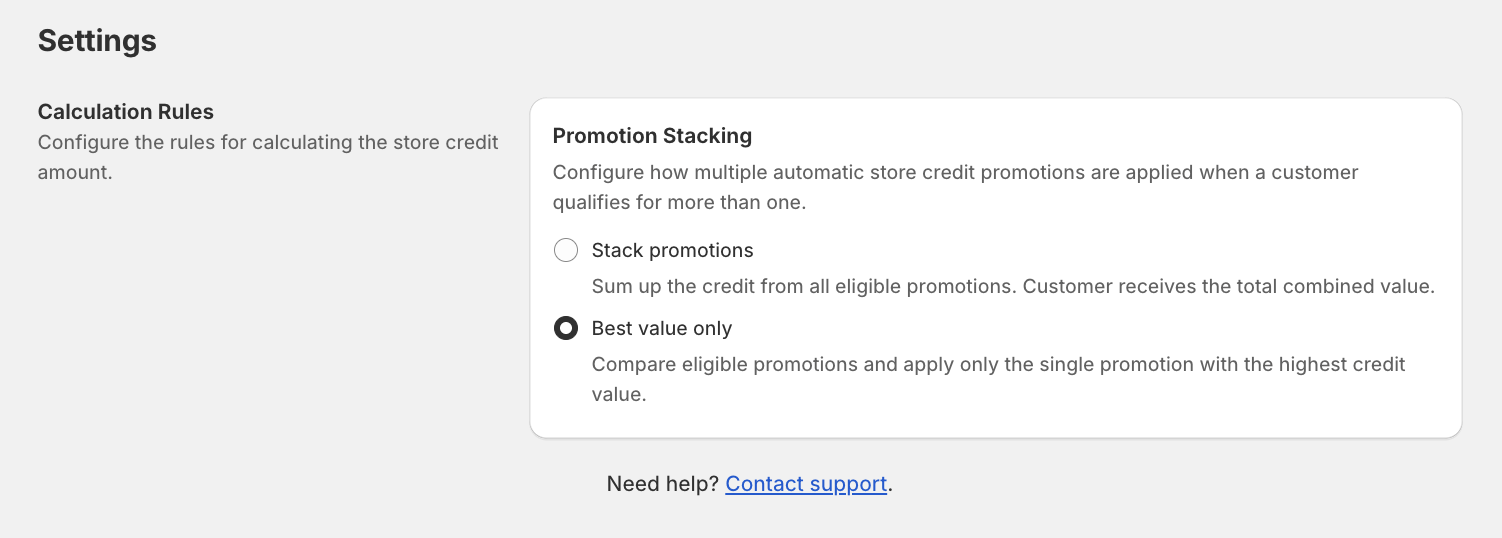
Where to find Promotion Stacking
Choose how promotions apply
In Promotion Stacking, select one of these options:
Stack promotions
What it does: Sums up the credit from all eligible promotions. The customer receives the total combined value.
- Use this when you want multiple promotions to “add up” (for example, a seasonal offer plus a VIP offer).
Best value only
What it does: Compares eligible promotions and applies only the single promotion with the highest credit value.
- Use this when you want to avoid over-rewarding customers when multiple promotions overlap.
What counts as “eligible”
A promotion is eligible when the customer’s order matches that promotion’s requirements (for example: products/collections, minimum purchase, customer eligibility, and schedule).