
Add FAQ
Add the Product FAQs block to your theme
Use Product Pelican's Product FAQs app block to show FAQs directly on your Shopify product page. In the theme editor, the block appears inside your product template and pulls in the FAQs assigned to that product from the Product FAQ screen in Product Pelican.
The block settings shown in the walkthrough are Heading, Expand the first FAQ by default, and Manage app.
In Shopify, go to your theme customizer and open the product template you want to edit. In the left sidebar, find the Product information area, then add the Product FAQs app block where you want the FAQ section to appear.
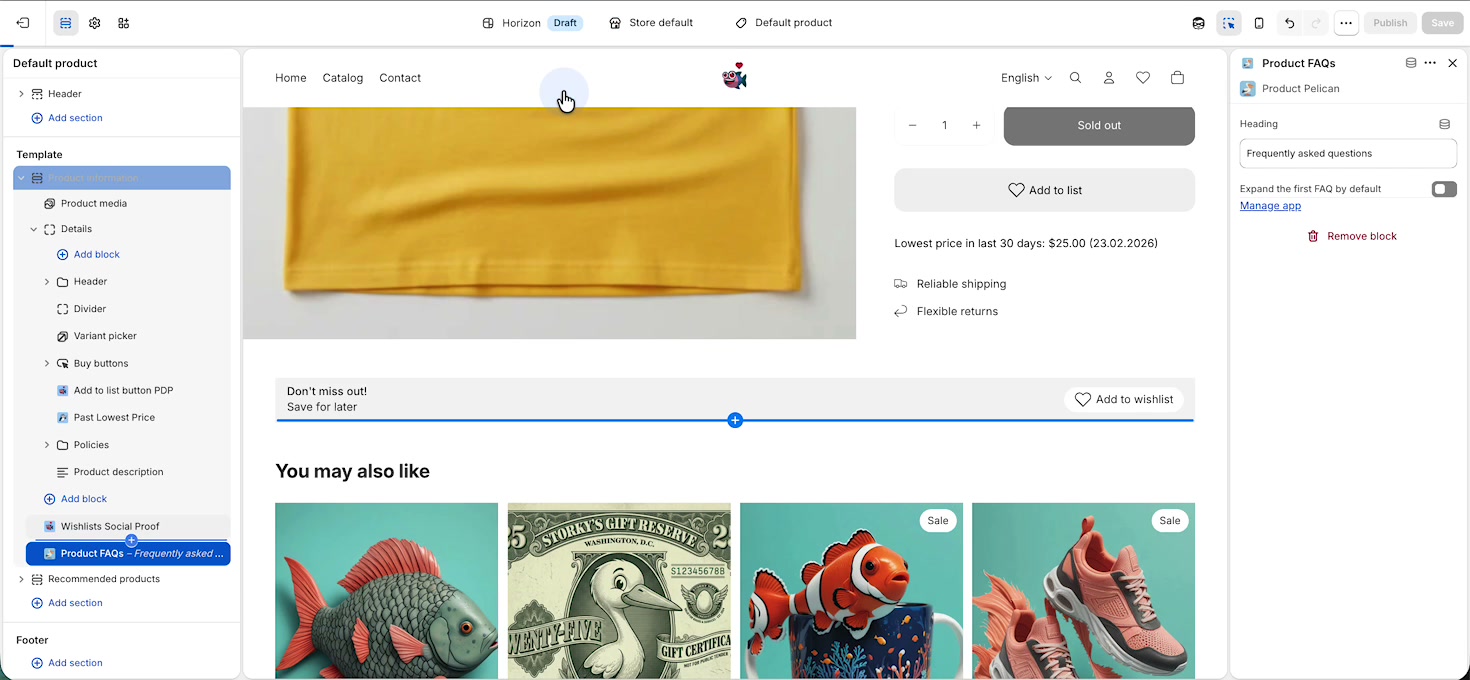
As soon as the block is added, the FAQ section appears on the product page preview. By default, the heading is Frequently asked questions, and the assigned FAQs display as accordion items.
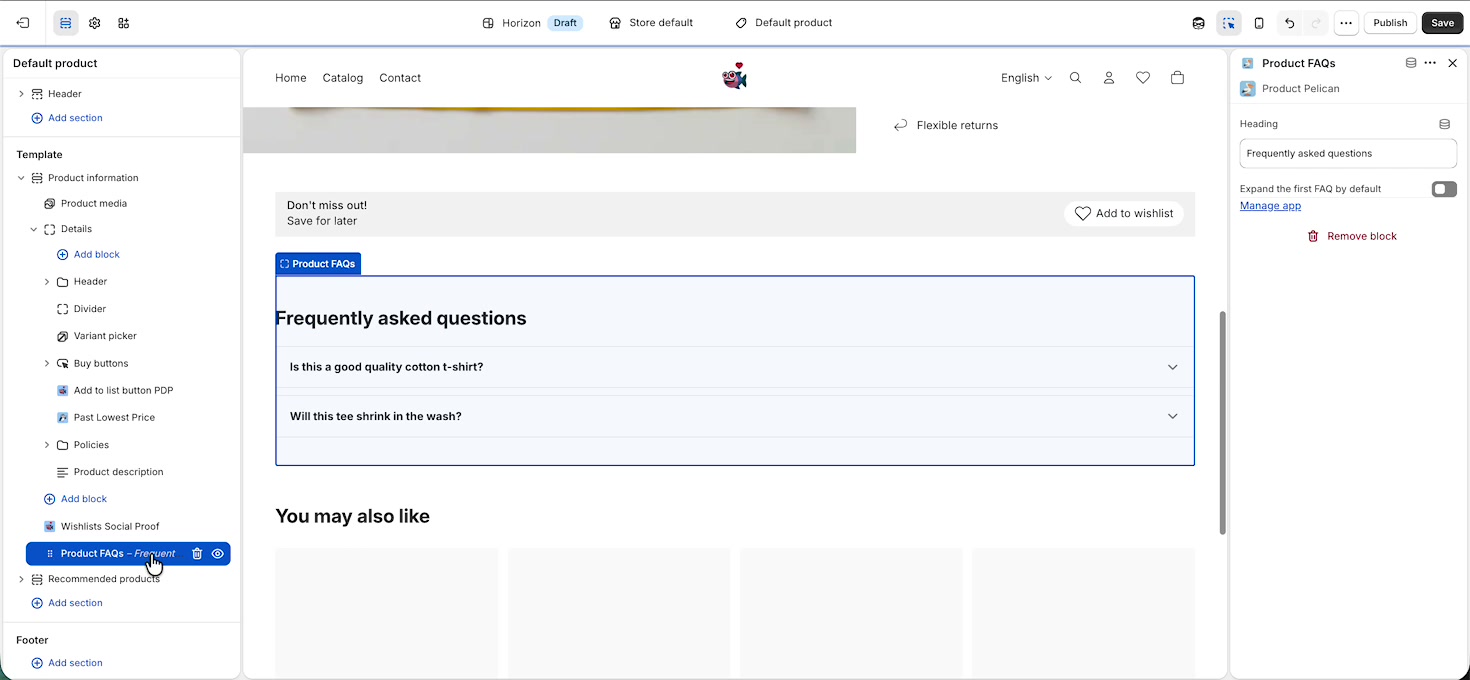
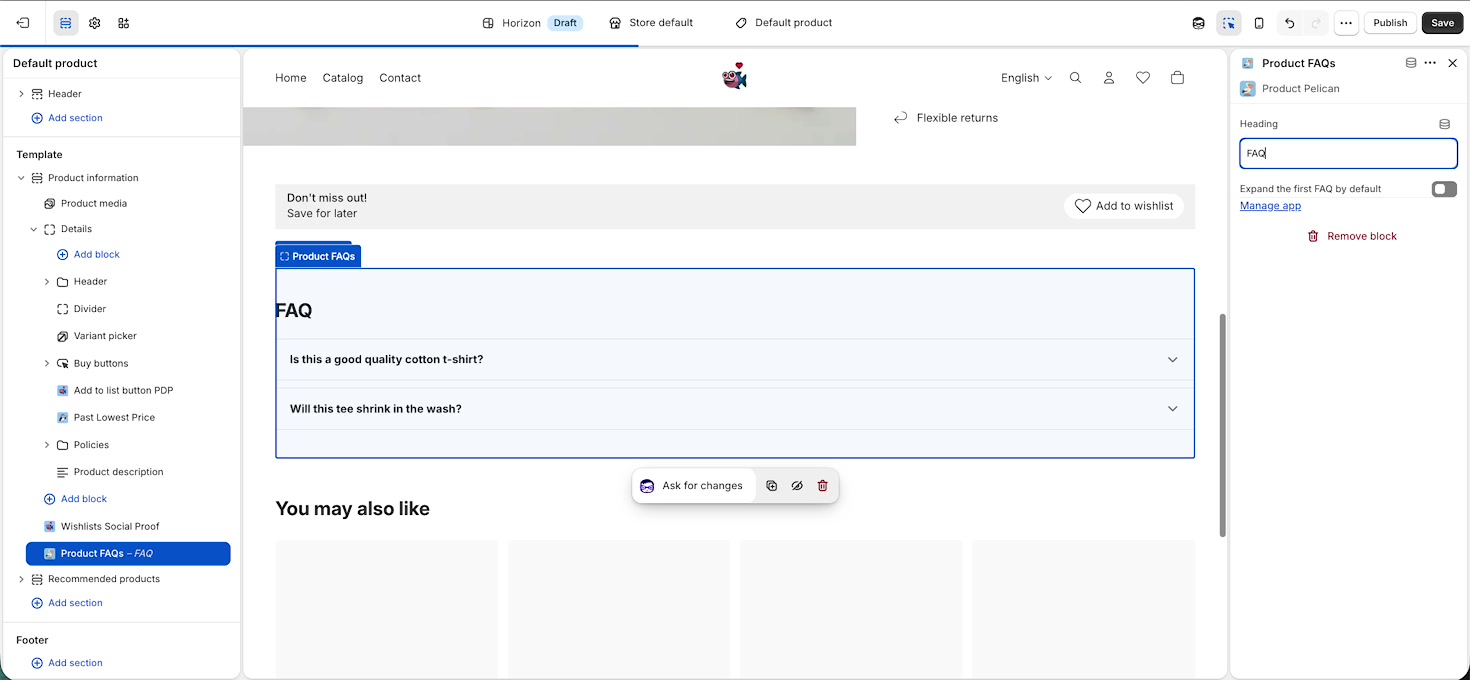
In the block settings on the right, edit the Heading field to the title you want customers to see. In the walkthrough, the heading is shortened from Frequently asked questions to FAQ.
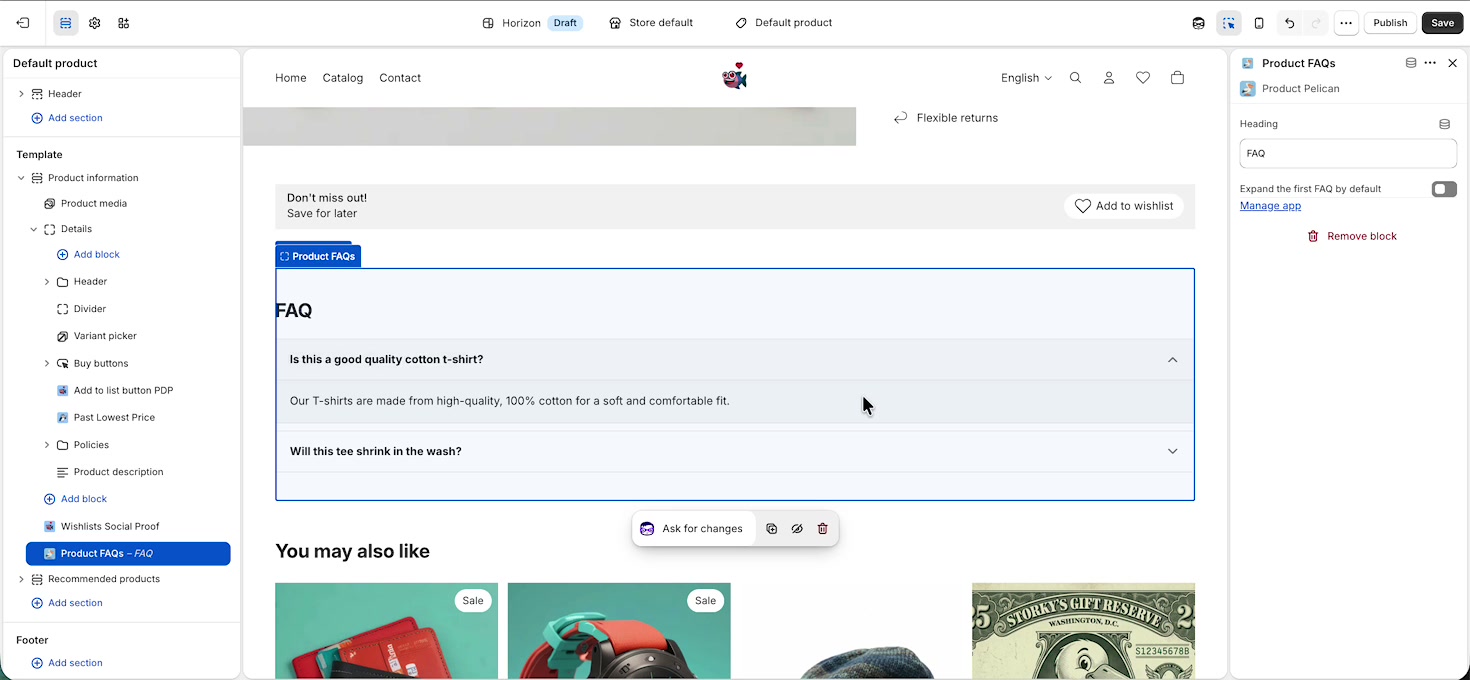
Use the Expand the first FAQ by default toggle if you want the first accordion item to start open when the page loads. Leave it off if you want all items collapsed by default.
In the final walkthrough frame, the first FAQ is expanded so customers can immediately see the answer content.
Where the FAQs come from
The Product FAQs block displays the FAQs already assigned to that product in Product Pelican. If you need to create, edit, or assign FAQs, click Manage app in the block settings to open the Product FAQ screen.
From there, you can:
Add a new FAQ with + Add FAQ
Reuse entries with Connect existing
Generate suggestions with Suggest FAQs
Reorder items by dragging them
Click any entry to edit its question or answer
Each FAQ is saved in Shopify as a native metaobject, and Product Pelican assigns it to products using a metafield. That means you can reuse the same FAQ across multiple products when it makes sense.
What customers will see
On the storefront, customers see a clean accordion section with your chosen heading and the FAQs assigned to the current product. If the first item is expanded by default, shoppers will see one answer immediately without needing to click.
Use a short heading like FAQ if your product page already has several sections and you want the layout to feel more compact.
Best practice for setup
Assign or create the FAQs for the product in Product Pelican.
Add the Product FAQs app block to your product template.
Set the Heading text to match your brand.
Decide whether to enable Expand the first FAQ by default.
Save the template and preview the product page.
If the block is visible but no questions appear, the product likely does not have any FAQs assigned yet in the Product FAQ screen.
Schema Markup
The FAQ section automatically adds best practice Schema markup to your page. This is valuable for LLMs to crawl your product data. You don't need to configure anything for this to work.
Sample schema markup for FAQ section:
<script type="application/ld+json">
    {
      "@context": "https://schema.org",
      "@type": "FAQPage",
      "@id": "https:\/\/fish-wishlist.myshopify.com\/products\/yellow-t-shirt#faq",
      "inLanguage": "en",
      "dateModified": null,
      "mainEntityOfPage": {
        "@type": "Product",
        "@id": "\/products\/yellow-t-shirt#product"
      },
      "about": {
        "@type": "Product",
        "@id": "\/products\/yellow-t-shirt#product",
        "name": "Mens Tee - Yellow",
        "sku": null
      },
      "isPartOf": {
        "@type": "WebSite",
        "name": "Native App Co (password: fish)",
        "url": "https:\/\/fish-wishlist.myshopify.com"
      },
      "speakable": {
        "@type": "SpeakableSpecification",
        "cssSelector": [".pelican-faq__question", ".pelican-faq__answer"]
      },
      "mainEntity": [{
            "@type": "Question",
            "@id": "https:\/\/fish-wishlist.myshopify.com\/products\/yellow-t-shirt#faq-172142952600",
            "name": "Is this a good quality cotton t-shirt?",
            "acceptedAnswer": {
              "@type": "Answer",
              "@id": "https:\/\/fish-wishlist.myshopify.com\/products\/yellow-t-shirt#answer-172142952600",
              "text": "Our T-shirts are made from high-quality, 100% cotton for a soft and comfortable fit."
            }
          },{
            "@type": "Question",
            "@id": "https:\/\/fish-wishlist.myshopify.com\/products\/yellow-t-shirt#faq-172159107224",
            "name": "Will this tee shrink in the wash?",
            "acceptedAnswer": {
              "@type": "Answer",
              "@id": "https:\/\/fish-wishlist.myshopify.com\/products\/yellow-t-shirt#answer-172159107224",
              "text": "We use a special cotton blend that minimizes shrinkage, but we recommend washing it in cold water and drying it on a low heat setting to maintain its size."
            }
          }]
    }
  </script>